

Voice technology has come a long way. In 2026, changing your voice in real time feels almost magical. Whether you want to sound deeper for a gaming session, brighter for a podcast, or completely different for creative projects, real voice changers make it possible without much hassle.
This guide explains everything you need to know. You will learn what these tools are, how they work, their benefits and drawbacks, and smart ways to use them. If you are a beginner curious about voice modulation or someone looking to improve your online presence, this article will help you make informed choices.
What is a Real Voice Changer?
A real voice changer is software or an online tool that modifies your speaking voice while you talk. Unlike simple pitch shifters from older days, modern versions in 2026 use artificial intelligence to create natural-sounding transformations.
These tools analyze your voice in real time. They adjust pitch, tone, timbre, accent, and even emotional delivery. The result sounds like a different person rather than a robotic distortion.
There are two main types. Real-time voice changers process your live microphone input and output the changed voice instantly to apps like Discord, Zoom, or streaming software. Offline or recording-based changers let you edit audio files after speaking. AI-powered options stand out because they learn from vast voice data to produce realistic results.
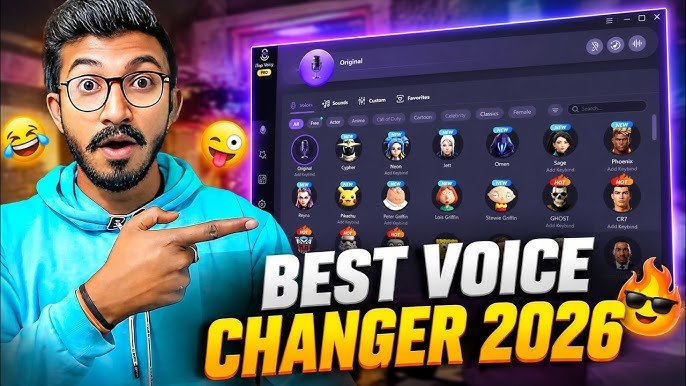
People use them for fun, privacy, accessibility, and professional work. For example, streamers might use a voice changer to match a character they play. Teachers or presenters sometimes adjust their voice for clarity during online sessions. The technology has become accessible enough that anyone with a decent computer or smartphone can try basic features.
Key Features of Modern Real Voice Changers
Today’s voice changers offer much more than basic effects. Here are the most useful features you will find in 2026 tools:
- Real-Time Processing: Low latency means the change happens almost instantly. Good tools keep delay under 100 milliseconds so conversations feel natural.
- AI Voice Conversion: Advanced models can shift your voice to sound like a different gender, age group, or accent while keeping your words clear.
- Custom Voice Creation: Some allow you to train the tool on sample recordings to create a unique voice profile.
- Soundboard Integration: Play background sounds, memes, or effects alongside your voice during live sessions.
- Noise Suppression: Built-in filters remove background noise so the changed voice stays clean.
- Multiple Preset Voices: Options like robot, celebrity-style, deep bass, or cartoon characters for quick selection.
- Cross-Platform Compatibility: Works with popular apps for gaming, video calls, and content recording.
- Privacy Controls: Local processing options keep your voice data on your device instead of sending it to the cloud.
These features make voice changers valuable for gamers who want to stay anonymous, content creators building characters, and even professionals in customer service who need consistent tone.
How Real Voice Changers Work
Understanding the technology helps you choose the right tool and use it effectively.
The process starts with your microphone capturing sound waves. The software breaks this audio into small segments. AI algorithms then analyze characteristics like pitch (how high or low the voice is), formants (resonance frequencies that give voices their unique quality), and prosody (rhythm and intonation).
Next comes the transformation stage. Traditional methods used simple pitch shifting or vocoders. In 2026, neural networks trained on thousands of hours of speech data handle the heavy lifting. These models map your voice patterns to target characteristics while preserving natural speech flow.
For example, if you want a deeper voice, the system lowers the fundamental frequency but also adjusts harmonics so it does not sound unnatural. Real-time tools create a virtual microphone. Your computer routes audio through this virtual device so other applications receive the modified voice.
Cloud-based options send data to powerful servers for more advanced AI processing, while local tools run everything on your device for better privacy and speed. The best results come when the tool combines both approaches.
Advantages and Limitations
Like any technology, real voice changers have strengths and weaknesses.
Advantages:
- Enhanced creativity for streamers, YouTubers, and podcasters.
- Improved accessibility for people who feel more comfortable with a modified voice.
- Privacy protection during online interactions.
- Entertainment value for friends and family.
- Professional uses like voice acting practice or language learning.
- Reduced vocal strain during long streaming sessions.
Limitations:
- Perfect realism is still challenging in very noisy environments or with strong accents.
- Some tools require decent hardware for smooth real-time performance.
- Free versions often limit daily usage or lock premium voices.
- Overuse can make communication less personal in important calls.
- Learning to use advanced customization takes time.
Honest users report that while AI has improved dramatically, no tool is 100% indistinguishable from a natural voice in every situation. Background noise, speaking speed, and microphone quality all affect the final output.
Best Practices and Tips for Using Voice Changers
To get the most natural results, follow these practical tips:
Start with a good microphone. Clear input leads to better output. USB condenser mics or even decent headset mics work well for beginners.
Test in a quiet room first. Reduce background noise before applying effects. Many tools have built-in noise gates that help automatically.
Adjust settings gradually. Small changes to pitch and tone often sound more natural than extreme transformations. Listen to yourself through headphones to fine-tune in real time.
Practice speaking naturally. Try reading aloud or having conversations while using the changer. Your brain needs time to adapt to the new sound.
Combine with good posture and breathing. Voice quality improves when you speak from the diaphragm rather than straining your throat.
Update your software regularly. Developers release improvements for realism and compatibility frequently in 2026.
For gaming or streaming, inform your audience if appropriate. Many communities appreciate transparency about voice tools.
Backup important recordings before heavy processing. Some effects are difficult to reverse completely.
Experiment during low-stakes activities first. Try different voices in casual calls before using them in professional settings.
Common Mistakes to Avoid
Many beginners run into the same issues. Here is what to watch out for:
Choosing the wrong tool for your needs. Real-time gaming requires low latency, while content creation benefits from high-quality offline processing.
Ignoring latency. High delay makes conversations awkward and frustrating for listeners.
Over-relying on extreme effects. Heavy robot or monster voices lose clarity and tire listeners quickly.
Forgetting to check compatibility. Not every tool works perfectly with every app or operating system.
Neglecting privacy. Cloud services may store voice data, so read policies carefully if privacy matters to you.
Using poor audio input. Garbage in, garbage out applies strongly to voice processing.
Skipping practice. Jumping straight into important calls with a new voice often leads to unnatural delivery.
Not testing on target platforms. What sounds good in the voice changer app may behave differently in Discord or OBS Studio.
Frequently Asked Questions
How natural do voices sound in 2026?
Modern AI voice changers produce very convincing results for most everyday uses. While experts can sometimes spot changes, casual listeners usually cannot tell the difference, especially with moderate adjustments.
Can I use a voice changer on mobile devices?
Yes. Several apps support real-time changing on both Android and iOS. Performance depends on your phone’s processing power.
Are voice changers legal to use?
Yes, for entertainment, content creation, and privacy. Misusing them to impersonate others for fraud is illegal in most places. Always respect consent and platform rules.
Do voice changers work well for singing?
Basic pitch correction helps, but advanced singing transformation is more complex. Dedicated music production tools usually give better results than general voice changers.
How much do good voice changers cost?
Many solid options have free tiers. Premium features often range from one-time purchases to monthly subscriptions. Test free versions before buying.
Will a voice changer improve my natural speaking voice?
Indirectly yes. Practicing with feedback from a changer can help you become more aware of your tone, pace, and clarity.
Can background noise ruin the effect?
It can. Good tools include noise reduction, but starting with clean audio always produces superior results.
Conclusion
Real voice changers in 2026 offer exciting possibilities for fun, creativity, and practical communication needs. By understanding the technology and following best practices, you can achieve impressive, natural-sounding results safely and effectively.
Take time to explore different options and practice regularly. Focus on using these tools responsibly to enhance your online experiences rather than replace authentic connection.
Start experimenting today with moderate settings and build your skills gradually. Your voice is a powerful tool — changing it should feel empowering and enjoyable.