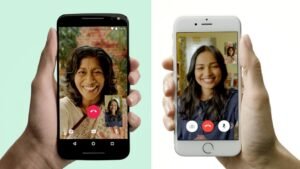

In today’s fast-paced world, staying connected with loved ones, colleagues, or friends across distances has never been more important. Whether you’re catching up with family abroad, coordinating with work teams, or simply sharing daily moments, having a dependable communication tool makes all the difference. Comera stands out as a straightforward, free video calls and chat app designed for both Android and iOS users who want simplicity without sacrificing quality or security.
This article explores everything you need to know about Comera. From its core features to real-world usage tips, you’ll gain practical insights to decide if it fits your needs and how to use it effectively. We’ll cover setup, benefits, potential drawbacks, and common pitfalls to avoid, all based on how the app actually performs for everyday users.
What is Comera?
Comera is a free-messaging application that enables one-to-one chats, voice calls, and video calls over mobile data or Wi-Fi. Developed by Comera Technology LLC, it focuses on easy, unrestricted communication without heavy limitations on usage.
Unlike some apps that push premium subscriptions aggressively, Comera emphasizes free international calls and messages. It supports contact syncing from your phonebook, making it simple to connect with existing contacts. The app works on both Android and iOS devices, ensuring broad accessibility for individuals, families, and small teams.
At its heart, Comera aims to provide a clean, secure platform for personal and professional conversations. It includes end-to-end encryption for privacy, group chats for multiple participants, and multimedia sharing capabilities. This combination makes it suitable for casual daily use as well as more structured remote interactions.
Key Features of Comera
Comera offers several practical features that address common needs in modern communication apps. Here are the main ones:
- Unlimited Free Calls and Messages: Users can make audio and video calls internationally without per-minute charges or strict daily limits. This is particularly helpful for people with family or friends overseas.
- HD Video Calls: The app supports high-quality video with features like Picture-in-Picture (PiP) mode, allowing you to continue calls while using other apps on your device. Call stability has been improved through updated libraries.
- Secure Messaging with End-to-End Encryption: Conversations remain private. Text messages, voice notes, and shared media benefit from strong encryption, giving users confidence when discussing sensitive topics.
- Group Chats and Contact Syncing: Create groups to chat with multiple people at once. The app quickly syncs your phone contacts, so you don’t have to add numbers manually.
- Multimedia Sharing: Send photos, videos, documents, locations, emojis, and stickers. File sharing maintains decent quality without excessive compression in most cases.
- Notifications and Call Logs: Stay updated with reliable push notifications for messages and calls. Easy access to call history helps track important conversations.
- Cross-Platform Support: Seamless experience whether your contacts use Android or iOS, reducing compatibility issues common in some niche apps.
These features position Comera as a versatile alternative for users seeking an uncluttered interface focused on core communication rather than social media-style feeds.
How Comera Works
Getting started with Comera is designed to be beginner-friendly. Here’s a step-by-step overview of how the app functions in practice:
- Download and Installation: Search for “Comera” on the Google Play Store for Android or the Apple App Store for iOS. Install the app directly from official stores to ensure safety.
- Account Setup: Open the app and sign up using your phone number. Verify the number via SMS code. The app then syncs your contacts automatically.
- Starting a Chat: Go to your contacts list, select a person, and tap to open a chat window. Type messages, send voice notes, or attach files.
- Making Calls: From the chat screen or contacts, tap the phone icon for voice calls or the camera icon for video calls. The interface clearly shows connection status and quality indicators.
- Group Interactions: Create a new group, add participants, and manage settings like muting notifications or changing the group name and icon.
- During a Call: Use on-screen controls for mute, speaker, switch camera, or end call. PiP mode lets you multitask without disconnecting.
- Managing Settings: Adjust privacy options, notification preferences, data usage settings, and storage management within the app’s settings menu.
The workflow remains consistent across devices, which helps users switch between phone and tablet without relearning the interface. Performance depends on your internet connection—Wi-Fi generally delivers the best results for video, while mobile data works well for lighter tasks.
Advantages and Limitations
Like any app, Comera has strengths and areas where it can improve. A balanced look helps set realistic expectations.
Advantages:
- Truly free core functionality with no hidden costs for basic calls and messaging.
- Strong focus on privacy through encryption and straightforward data practices.
- Reliable international connectivity, useful for diaspora communities or remote workers.
- Lightweight enough for most mid-range devices, with good battery optimization during calls.
- Simple, intuitive design that doesn’t overwhelm new users.
Limitations:
- Video quality can vary based on network conditions; it may drop in areas with weak signals.
- Some users report occasional resource usage on older devices during long video sessions.
- Feature set is more focused on communication than advanced tools like screen sharing or advanced filters found in competing apps.
- Group call capacity and advanced admin controls may not suit very large teams.
- Availability of customer support is primarily through in-app channels, which can feel limited during peak issues.
Overall, Comera excels for personal use and small group communication but might not replace enterprise solutions for complex business needs.
Best Practices and Tips for Using Comera
To get the most value from Comera, consider these practical recommendations based on typical user experiences:
- Optimize Your Connection: Prefer Wi-Fi for video calls whenever possible. Close background apps to free up bandwidth and reduce lag.
- Manage Data Usage: In settings, review options to limit media downloads over mobile data. This prevents unexpected charges on limited plans.
- Privacy Settings: Regularly review who can see your profile or call you. Use the block and report features if needed to maintain a safe environment.
- Organize Contacts and Groups: Create dedicated groups for family, friends, or work to keep conversations separate and easier to manage.
- Backup Important Chats: While the app handles most data locally, note important information elsewhere if it’s critical, as cloud backups may vary.
- Test Calls First: Before important meetings, do a quick test call to check audio, video, and lighting in your environment.
- Update Regularly: Keep the app updated through official stores to benefit from performance improvements and security patches.
Following these habits can significantly enhance reliability and enjoyment while using the app.
Common Mistakes to Avoid
Many users run into avoidable issues when first trying communication apps. Here are key ones related to Comera:
- Relying solely on mobile data in low-coverage areas without switching to Wi-Fi, leading to poor call quality.
- Ignoring storage management, which can cause the app to slow down after accumulating many media files.
- Sharing sensitive information without confirming encryption status or using unverified contacts.
- Overloading group chats with too many members without setting clear guidelines, resulting in notification fatigue.
- Failing to grant necessary permissions (camera, microphone, contacts) during setup, which blocks core features.
- Not clearing cache periodically on Android devices, potentially leading to minor performance hiccups.
Being mindful of these helps create smoother experiences and avoids frustration.
Frequently Asked Questions
Is Comera completely free?
Yes, the core features including unlimited messages, voice calls, and video calls are free. There are no mandatory in-app purchases for basic usage, though occasional ads or optional enhancements may appear.
Does Comera work internationally?
Absolutely. It supports free international calls and messaging as long as you have an internet connection, making it popular among users with global contacts.
How secure is Comera for private conversations?
The app uses end-to-end encryption for calls and messages. Always keep the app updated and avoid sharing links or files from unknown sources for maximum safety.
Can I use Comera on multiple devices?
Primary support is for smartphones, with possible tablet compatibility. Simultaneous active sessions on different devices may require checking account settings.
What should I do if I experience call drops?
Check your internet speed, restart the app, or switch networks. Updating the app and ensuring device permissions are enabled usually resolves most issues.
Is Comera suitable for business use?
It works well for small teams and informal professional chats, but larger organizations may need additional features available in dedicated enterprise tools.
Conclusion
Comera delivers a solid, no-frills experience for anyone seeking reliable video calls and chat functionality on Android and iOS. Its emphasis on free international communication, privacy, and ease of use makes it a practical choice for personal connections and light professional needs.
By understanding its features, following best practices, and managing expectations around limitations, you can integrate Comera effectively into your daily routine. Explore the app yourself to see how it fits your communication style, and stay connected with confidence.