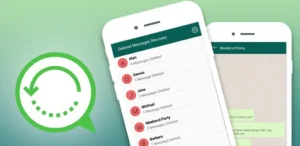

Many WhatsApp users accidentally delete important messages, photos, or voice notes and later realize they still need them. In 2026, recovering deleted WhatsApp messages is possible in some cases using backup systems, notification history, and recovery apps like “UnDelete” tools. These apps do not magically restore everything, but they can help retrieve recently deleted data depending on your phone settings and backups.
This guide explains everything in simple steps, including how recovery works, how to use UnDelete apps, and what you should realistically expect.
What is UnDelete App for WhatsApp?
UnDelete apps are third-party tools designed to help users view or recover deleted WhatsApp messages by accessing data already stored on your phone.
They usually work by:
- Reading notification history
- Accessing cached message data
- Checking local storage logs
- Detecting deleted message alerts
These apps are not official WhatsApp tools, but they try to recover messages using data that already exists on your device.
How WhatsApp Message Recovery Actually Works
To understand recovery, you need to know how WhatsApp stores data:
1. Notification Storage
When someone sends you a message, it appears in your notification panel. Some apps save this information before it disappears.
2. Local Backup
WhatsApp automatically creates backups on your phone storage every day (if enabled).
3. Google Drive Backup
If enabled, WhatsApp saves chat history to Google Drive for easy restoration.
4. Cached Data
Some temporary message data may remain on your device for a short time.
If none of these exist, recovery becomes very difficult.
How to Use UnDelete App to Recover Messages
Here is a step-by-step method most UnDelete apps follow:
Step 1: Download the App
Install a trusted message recovery or notification history app from Google Play Store. Avoid modified APKs because they can be risky.
Step 2: Open the App
Launch the app and set it up for first use.
Step 3: Grant Required Permissions
The app may ask for:
- Notification access
- Storage access
- Background activity permission
These permissions allow the app to track incoming messages.
Step 4: Enable Notification Tracking
Turn on notification monitoring so the app can save message previews when they arrive.
Step 5: Check Deleted Messages
When a WhatsApp message is deleted, the app may still show:
- Message text
- Sender name
- Timestamp
This only works if the message was captured before deletion.
Step 6: Restore from Backup (If Available)
If you have WhatsApp backup enabled:
- Uninstall WhatsApp
- Reinstall WhatsApp
- Verify your number
- Tap “Restore Backup”
- Wait for chats to load
This is the most reliable method.
Important Limitations You Should Know
UnDelete apps have several limitations:
- Cannot recover messages deleted before installation
- Cannot restore everything 100%
- Media files may not be saved properly
- Works only if notifications were captured
- Background restrictions may stop recording
So, results depend heavily on timing and phone settings.
Best Official Methods to Recover WhatsApp Messages
Instead of relying only on third-party apps, try these safer methods:
1. Google Drive Backup Restore
If enabled:
- Reinstall WhatsApp
- Log in with same number
- Restore from Google Drive backup
This restores full chat history.
2. Local Backup Restore
WhatsApp stores local backups in phone storage for up to 7 days or more.
3. File Manager Restore (Advanced Users)
You can manually restore backup files from WhatsApp folder if available.
4. Notification History Feature (Android 11+)
Some Android phones already store deleted notifications without any app.
Pros of Using UnDelete Apps
- Easy setup
- May recover recent deleted messages
- Works without rooting phone
- Can show instant message previews
- Simple interface for beginners
Cons of Using UnDelete Apps
- Not always reliable
- Cannot recover old deleted messages
- Needs continuous permissions
- Battery and storage usage in background
- Privacy concerns if used incorrectly
Safety Tips Before Using Recovery Apps
To protect your privacy and data:
- Only download from official app stores
- Avoid unknown APK websites
- Do not give unnecessary permissions
- Never share WhatsApp OTP or verification codes
- Check app reviews before installing
- Use official WhatsApp backup first
How to Prevent Losing WhatsApp Messages
Prevention is better than recovery:
Enable Automatic Backup
Go to WhatsApp settings and turn on:
- Daily backup
- Google Drive backup
Save Important Chats Manually
Export important chats to email or files.
Use Cloud Storage
Save important media in Google Photos or Drive.
Avoid Accidental Deletion
Be careful when clearing chats.
Is UnDelete App Worth Using?
It can be helpful for viewing recently deleted messages, especially if notification access is enabled before deletion. However, it should not be considered a full recovery solution.
The most reliable method is always WhatsApp’s built-in backup system.
Final Thoughts
Recovering deleted WhatsApp messages in 2026 is possible but depends on timing, backups, and phone settings. UnDelete apps can help in some situations, but they are not guaranteed solutions. For best results, always enable WhatsApp backups and keep notification history active.
If you combine backup features with recovery apps, your chances of restoring lost chats become much higher.
About Filepcr
Filepcr provides simple guides about WhatsApp tips, mobile apps, tech tools, and online solutions. It helps users understand digital problems in easy language so they can use apps safely and effectively.
Conclusion
UnDelete apps can help recover some deleted WhatsApp messages, but they work best when used early and with proper permissions. For full protection, WhatsApp backup remains the most powerful recovery method.
Download Disclaimer
This article is for educational purposes only. We do not guarantee message recovery results. Always use official WhatsApp features and trusted apps only.